For everyone who wants to share without feeling watched
Your location. Your rules.
glancy is a location sharing app for iOS and Android with adjustable access notifications and a log of recorded views. You choose who can see you, how precisely, and for how long. Notifications are on by default; repeat views within the cooldown are grouped together.
Access notifications are on by default. You choose.

Free to start. No ads, no data selling.
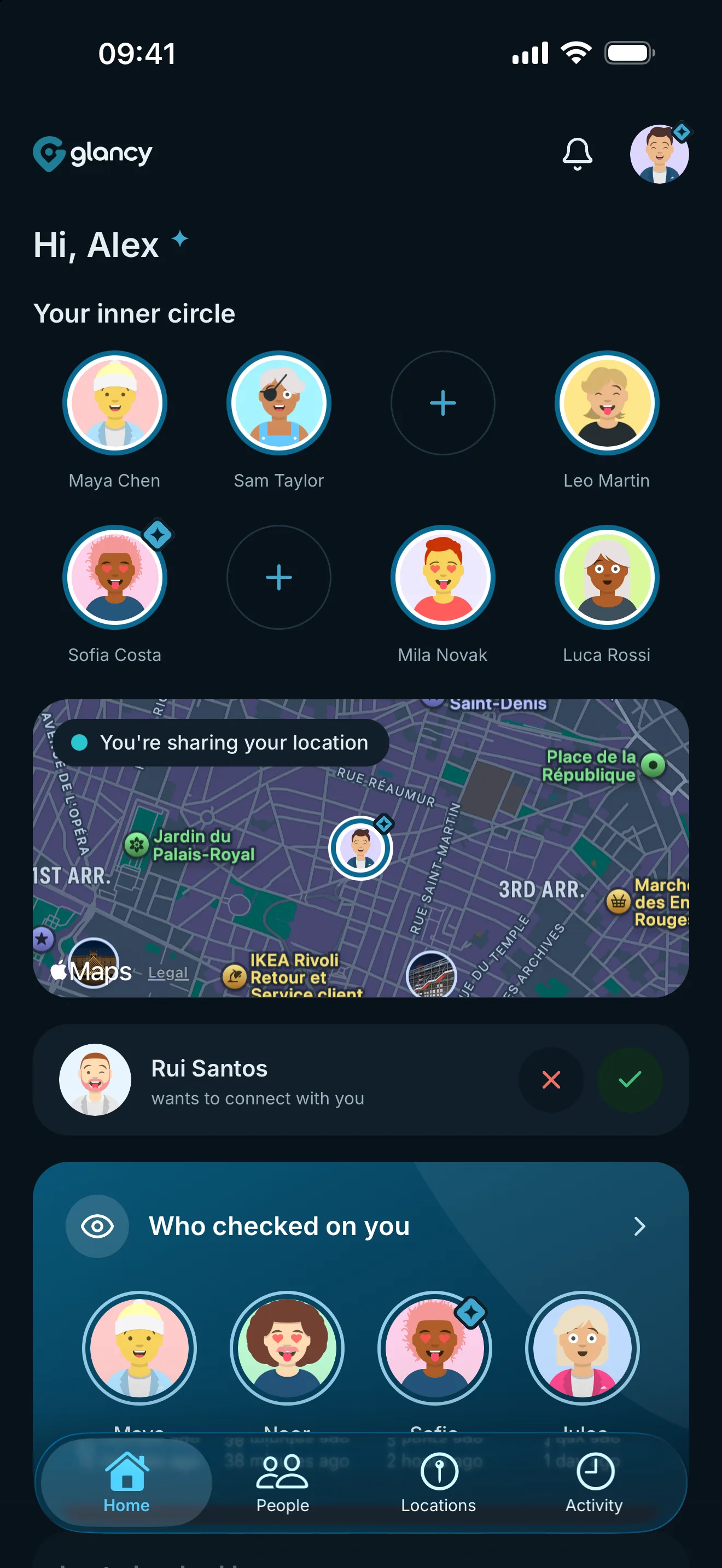
Maya just viewed your location.
Being viewed
You control sharing, access notifications and your log of recorded views.
An evening with glancy
What it actually feels like
22:40
Heading home. You share your location for the walk back. Two hours, then it ends by itself.
23:12
Your phone buzzes. Dad checked where you are. You know, because glancy tells you.
00:35
The share has expired. No one can see you. You did not have to remember a thing.
That is what location sharing feels like when you set the rules.
How it works
Three steps, and you are the one in control.
Step 1
Connect
Send a request. You are only connected once both of you agree. And being connected is not sharing yet.
Step 2
Set your rules
You decide per person: exact or approximate, for two hours or open-ended, always or weekdays only.
Step 3
Get notified
When someone looks, your phone buzzes. And the log shows who looked, and when.
You set the rules
Six things you decide for yourself, any time.
You notice
Notifications are on by default and adjustable per share. Repeat views within the cooldown are grouped together.
Read up on who looked
Every access lands in the log, with a name and a time. Including the one you missed.
Roughly is usually enough
Share the area instead of the address. Your people know you are home, not which room.
Ends by itself
Share your location for two hours, not forever. Nothing to remember afterwards.
Only when it fits
Weekday afternoons yes, Sundays no. Schedules turn a share into a habit.
Be invisible for a while
Pause sharing with everyone at once. Nothing is deleted, nothing needs explaining.
Try it
How precise should it be?
Switch between exact and approximate location to see what the other person would see. Both are equal settings in glancy, not a full and a watered-down version.
More on approximate locationMarie sees: Bergstrasse 14. Useful when you are meeting up or she is picking you up. Marie sees: somewhere in Nordend. Useful when she only needs to know you got home.
For your people
This is how it could look for you. Example situations, not real customer quotes.
Nele, 16
Shares with her parents
Sees it when her parents check. That was her condition, and it is why she agreed at all.
Jan and Marie
Share with each other
Know who has arrived without asking three times. And switch it off once the evening is over.
Tarek
Often travels alone
Shares his location for the hike, not for the whole trip. One person, one day, then off again.
Why we make no money from your location
glancy makes money from a subscription, not from your location. That is why there are no ads and no data brokers here.
- Every connection is mutual. No one can add you without your agreement.
- Pausing is instant and applies to everyone at once. Without losing a single connection.
- Your location measurements are stored encrypted. Views by people you share with are logged for you.
The honest comparison
Including where others are better.
| Feature | glancy | Life360 | Find My | Google Maps | Snapchat (Snap Map) |
|---|---|---|---|---|---|
| Notifies on view | Yes | No | No | No | No |
| Access log | Yes | No | No | No | No |
| iOS ↔ Android | Yes | Yes | No | Yes | Yes |
| Approximate location | Yes | Partial* | Partial* | No | No |
| Time-limited sharing | Yes | No | Yes | Yes | Yes |
| Scheduled sharing | Yes | No | No | No | No |
| Pause sharing | Yes | Yes | Partial* | Partial* | Yes |
| Mutual connection required | Yes | Yes | Yes | not stated | Yes |
| Free tier | Yes | Yes | Yes | Yes | Yes |
* see sources below
Sources
Life360
Find My
Google Maps
Snapchat (Snap Map)
Frequently asked questions
Does glancy notify me when someone views my location?
Yes, when access notifications are enabled and allowed on your device. They are on by default and adjustable per share. Repeat views within the cooldown are grouped together.
Is glancy free?
Yes. Access notifications, precision control, and pausing are free. glancy+ extends limits.
Does glancy work between iPhone and Android?
Yes, glancy works cross-platform between iOS and Android.
Can someone see my location without me knowing?
Connections are visible in glancy. Access notifications are adjustable; repeat views within the cooldown share a log entry. See our answers pages for the general case.
What happens if I pause sharing?
Your location becomes invisible immediately, but nothing is deleted - you can resume any time.
Does glancy sell my location data?
No. We do not sell location data to brokers or advertisers.
Share your location. Without the uneasy feeling.
Free to start. Access notifications and a log of recorded views included from day one.
Your location. Your rules.