Share your area, not your exact position
Exact and approximate are both first-class options in glancy - you choose precision per person, not all-or-nothing.
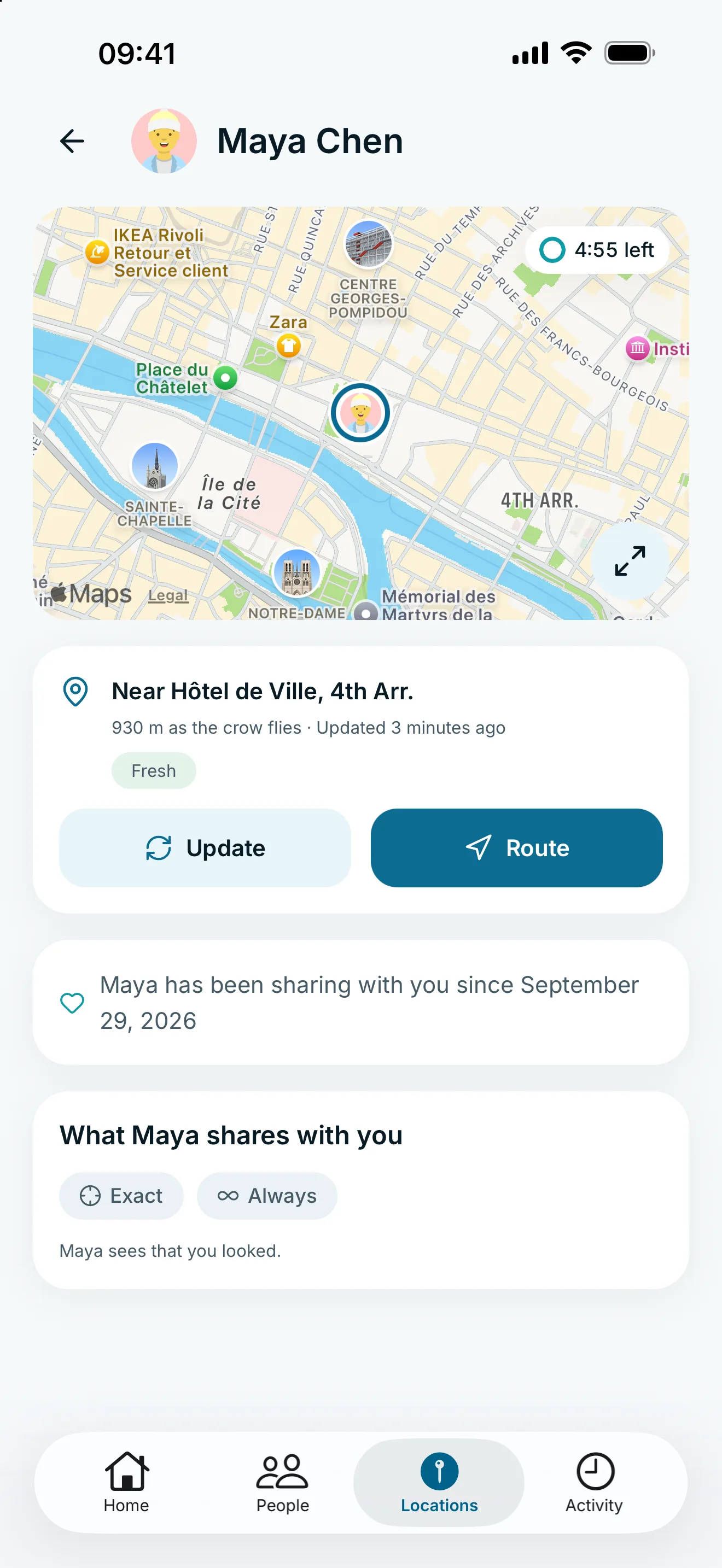
Shown here: exact sharing. You choose the precision for each person.
Most location apps force a binary choice: share your exact coordinates, or share nothing at all. glancy adds a middle ground - approximate location - so you can stay reachable and contextual without exposing your precise position.
Why precision should be a choice
Not every relationship needs the same level of detail. A close family member might get your exact location; a broader group might only need to know you’re nearby. glancy lets you set this per person, not as a single global switch.
How it works
- Choose exact or approximate location independently for each connection.
- Approximate location still updates live - it just rounds to a general area.
- Switch precision at any time without ending the share.
Set it up in the app
The step-by-step guide with app screenshots explains the controls and the consequences of your settings.
Frequently asked questions
How approximate is "approximate"?
Approximate location shows the general area you are in rather than a precise point, enough for context without exposing your exact address.
Can I use exact location for one person and approximate for another?
Yes. Precision is set per connection, so a parent and a coworker can see different levels of detail.