Add and Remove People from Groups in glancy
Changing members can change location access. The app explains which rule will apply before you confirm.
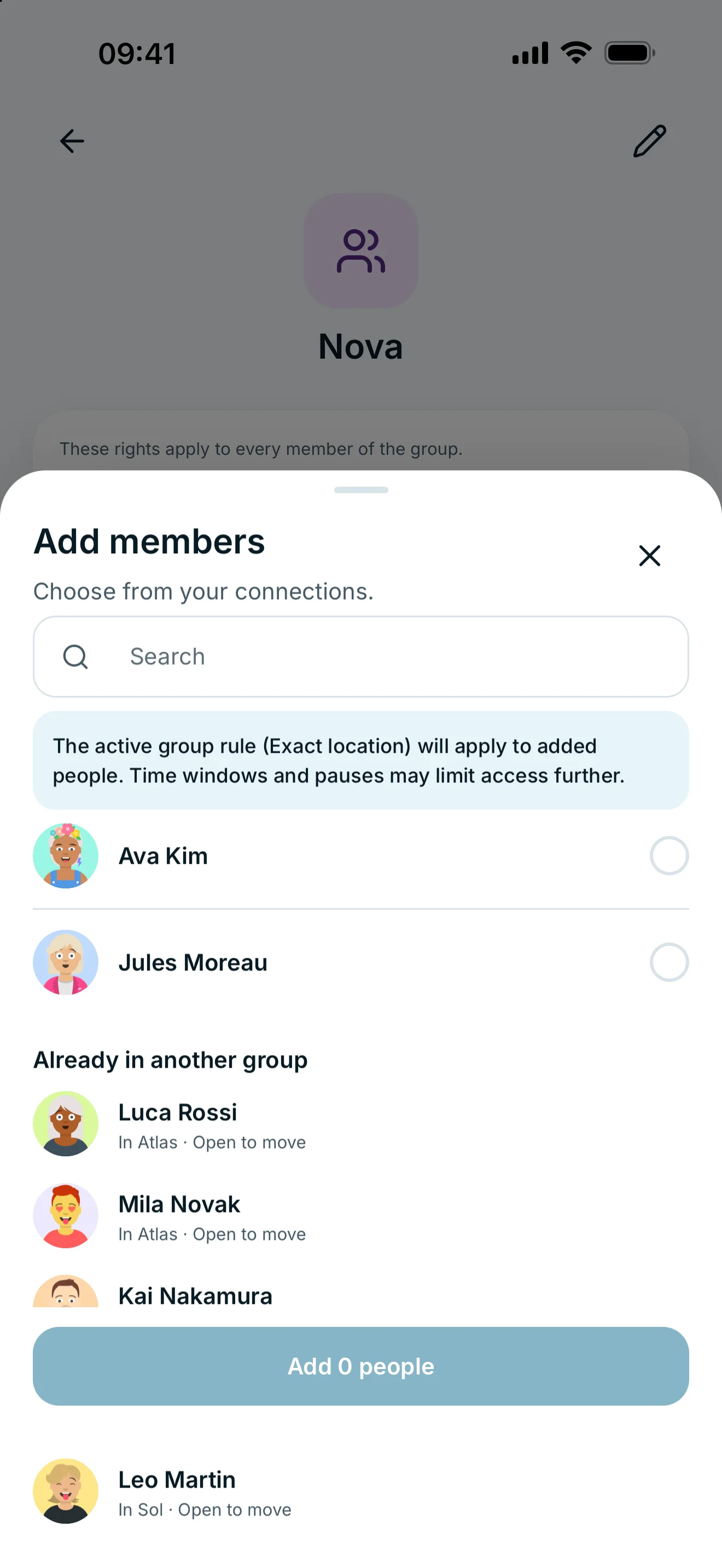
Open the group and choose Add under Members. Remove someone using the removal action beside their name. Read the access preview: adding can grant group access, and removing can restore a personal rule.
Add people
- Open your group under People → Groups.
- In Members, tap the person icon with a plus sign (Add).
- Select accepted connections.
- Read the group access preview and confirm your selection.
An active group rule applies to people you add. Without an active group rule, they initially receive no location access through it. Contacts assigned elsewhere appear separately and can be moved through their person details.
Remove a member
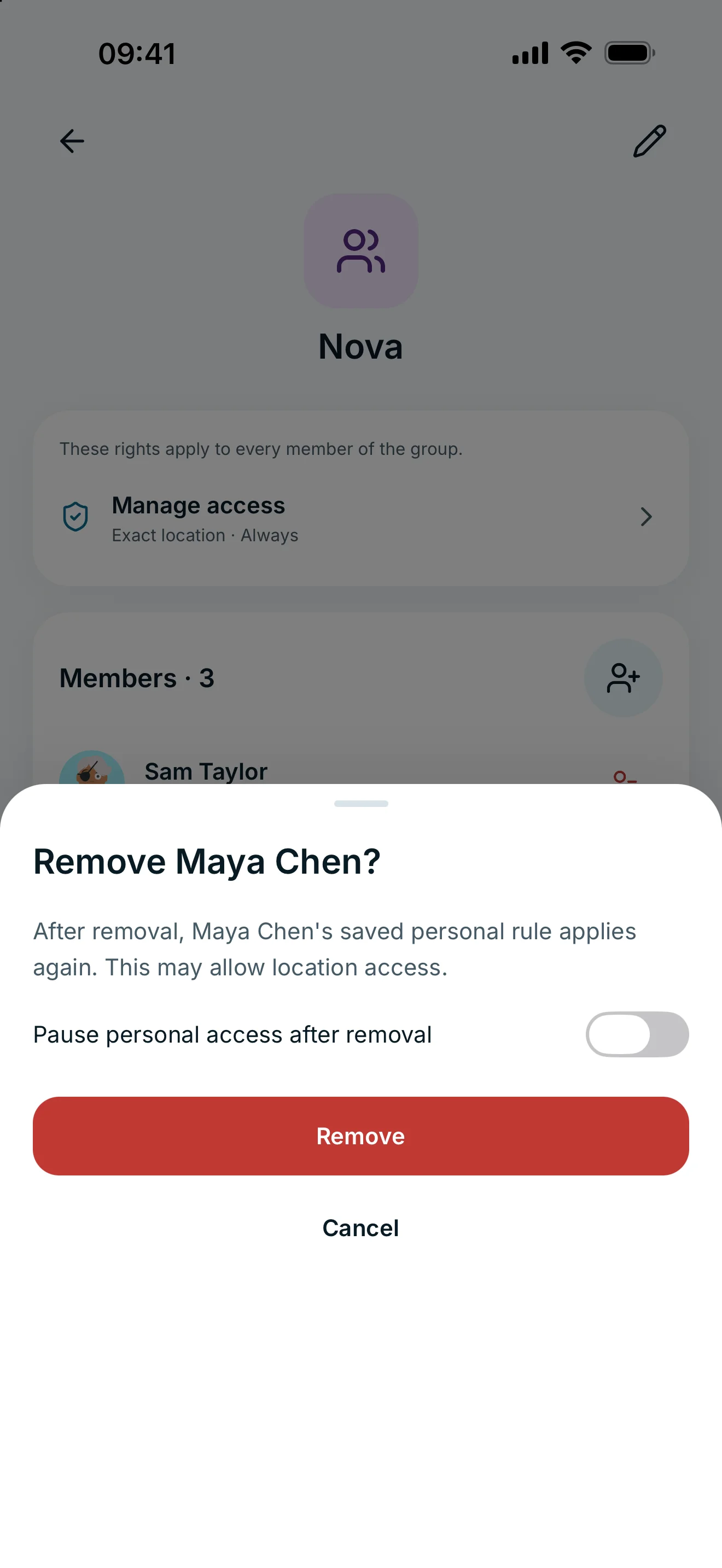
Tap the red person icon with a minus sign (Remove) beside the person. The dialog explains which personal rule will apply after they leave the group. An active personal rule can grant access again.
Enable Pause personal access after removal if needed, then confirm. Removing a group member does not end your connection. To end it entirely, use Remove connection in their person details.
Move someone to another group
Open the person and choose Move to another group. Select the destination, read its access preview and confirm. The new group rule applies; the personal rule remains stored.
If nobody is available to add, check pending connection requests, existing membership and assignments to other groups. A pending connection request cannot be added as a member.
Frequently asked questions
Can someone belong to several of my groups?
A person has one group assignment in your group management. If they already belong elsewhere, open their details and move them to the desired group.
Does removing a member remove the connection?
No. The connection remains. Their personal sharing rule may apply again after leaving the group.