How Do I Pause Location Sharing?
A global pause makes you temporarily invisible without deleting your connections or groups.
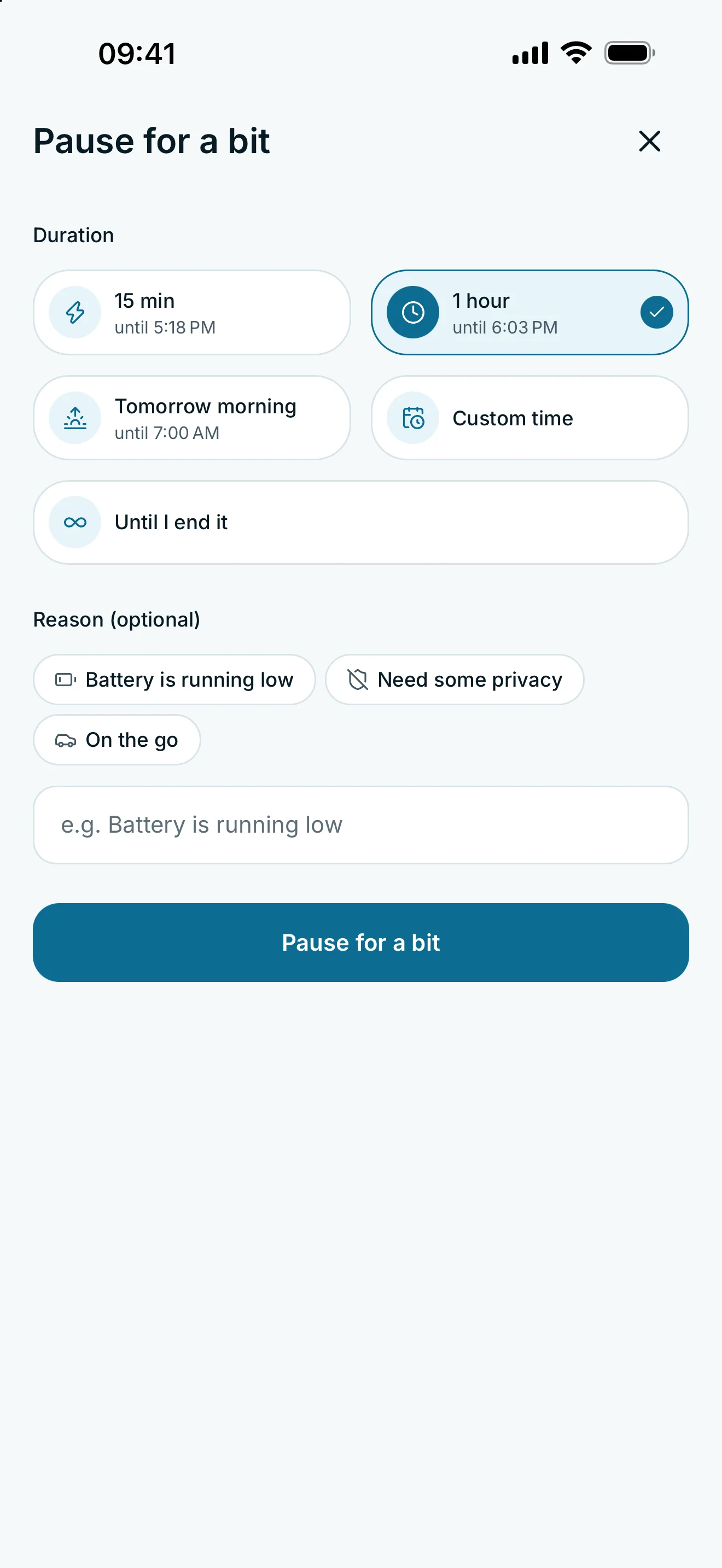
On Home, open your own location card, choose a duration and confirm with Pause for a bit. The global pause applies to all people and groups. Use Become visible again to end it. Your connections and sharing rules remain in place.
Pause sharing with everyone
- Open Home.
- Tap your own location card to open the pause controls.
- Choose the pause duration and confirm with Pause for a bit.
- Check the active pause on Home, including its remaining time where shown.
The global pause applies to all people and groups. It sits above your individual sharing rules. Connections, groups and settings remain in place.
Resume sharing
On Home, open your location card again and tap Become visible again to end the global pause. Your existing rules apply again. An expired share or a schedule outside its active window does not gain access just because you resume.
To stop sharing with one person, edit their sharing rule. If a group manages their access, review the group rule and their assignment. The global Home pause is intended for a break from sharing with everyone.
Pausing does not delete your access log. Your plan’s retention limits continue to apply.
Frequently asked questions
Will pausing delete my groups or favourites?
No. The global pause interrupts sharing while preserving connections, groups, favourites and settings.
Does everyone get access immediately when I resume?
No. Your existing personal or group rules apply again, including schedules and expiry times.