What Are Groups in glancy?
Groups organise location sharing with several people. Understanding which rule currently applies helps you stay in control.
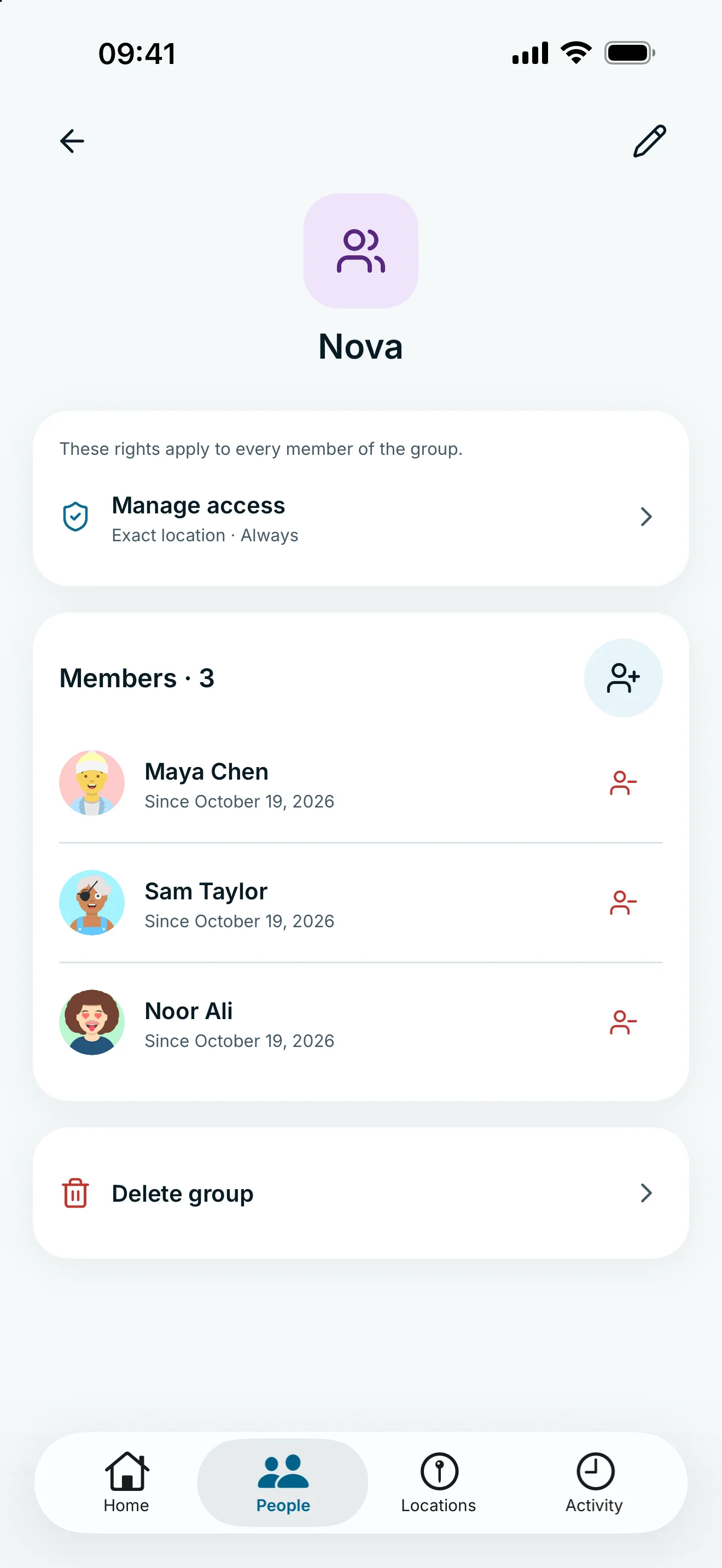
A group is your personal collection of connected people. You manage a shared location access rule for them. The group rule takes priority while someone belongs to it; their personal rule is kept for later.
One rule for several people
You can organise family or friends into a group. Its rule controls how these people may see your location: precision, timing and notifications are managed together.
The group belongs to your account. It is not a shared space where every member automatically shares locations with everyone else. Each person controls their own connections and sharing.
You must have an accepted connection before adding someone. A person can belong to one of your groups at a time. To change their assignment, move them to another group.
What happens to the personal rule?
While a person belongs to the group, its rule takes priority. Their personal rule remains stored but inactive. You do not apply a separate personal precision setting on top of the group rule.
Removing a member or deleting the group can reactivate a stored personal rule. That can grant location access. Read the consequences before confirming. When removing a person, you can also pause their personal access afterwards.
A normal group and glancy+ family serve different purposes. Groups manage location rules; Family manages Plus access and does not itself share a location.
Frequently asked questions
Can all group members see each other?
No. Your group controls these people’s access to your location. It does not automatically create location sharing between members.
Which rule wins if the group and personal rules differ?
The group rule applies while the person belongs to the group. The personal rule is kept and may apply again after removal.