glancy on iPhone Duo
More room.
All in view.
Your people and their locations. Your overview and every detail. glancy makes room for both on iPhone Duo. Ready when you are.
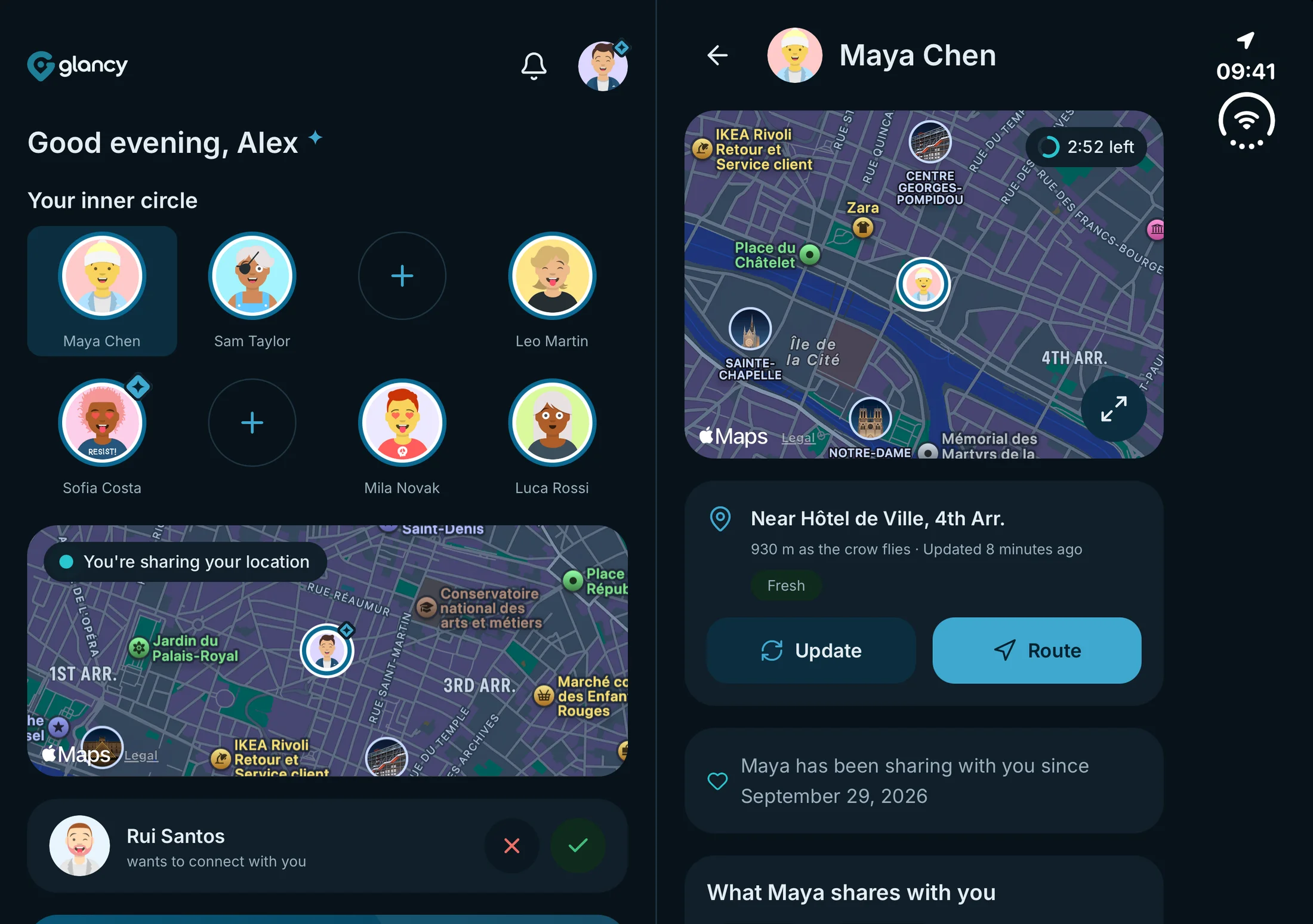
Made for iPhone Duo.
glancy supports iPhone Duo with an adaptive interface. On the unfolded inner display, the overview sits beside the detail view. Fold it closed and use the compact layout. Location sharing gets more room, while your people stay close.
Two views. One connection.
Better side by side.
A contact and their map. A group and its rules. glancy brings together what belongs together.
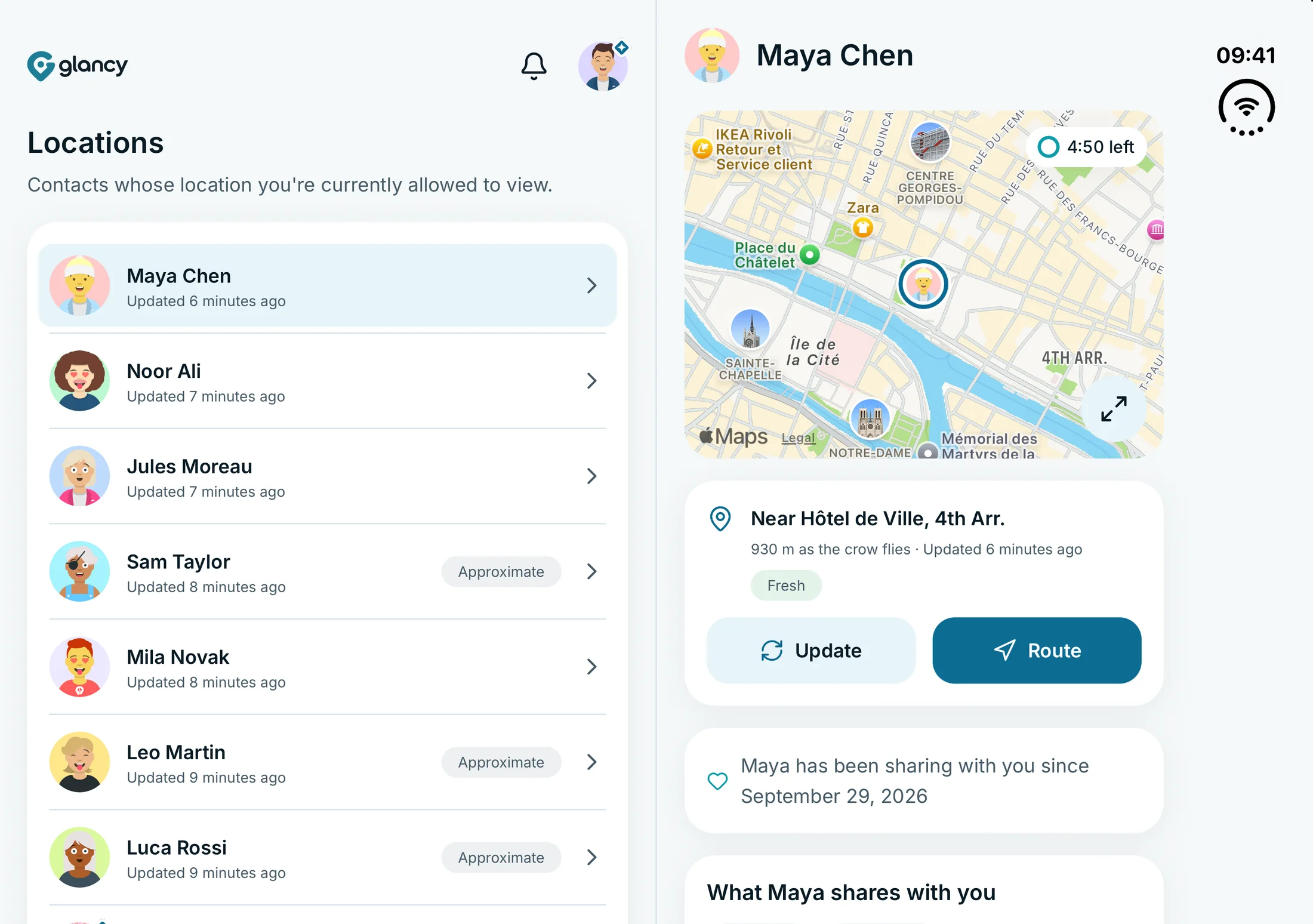
Your people. Their location, right beside them.
Your location list stays visible on the left. On the right, open a person’s location with their map, distance and sharing details. Choose another contact without going back to the overview first.
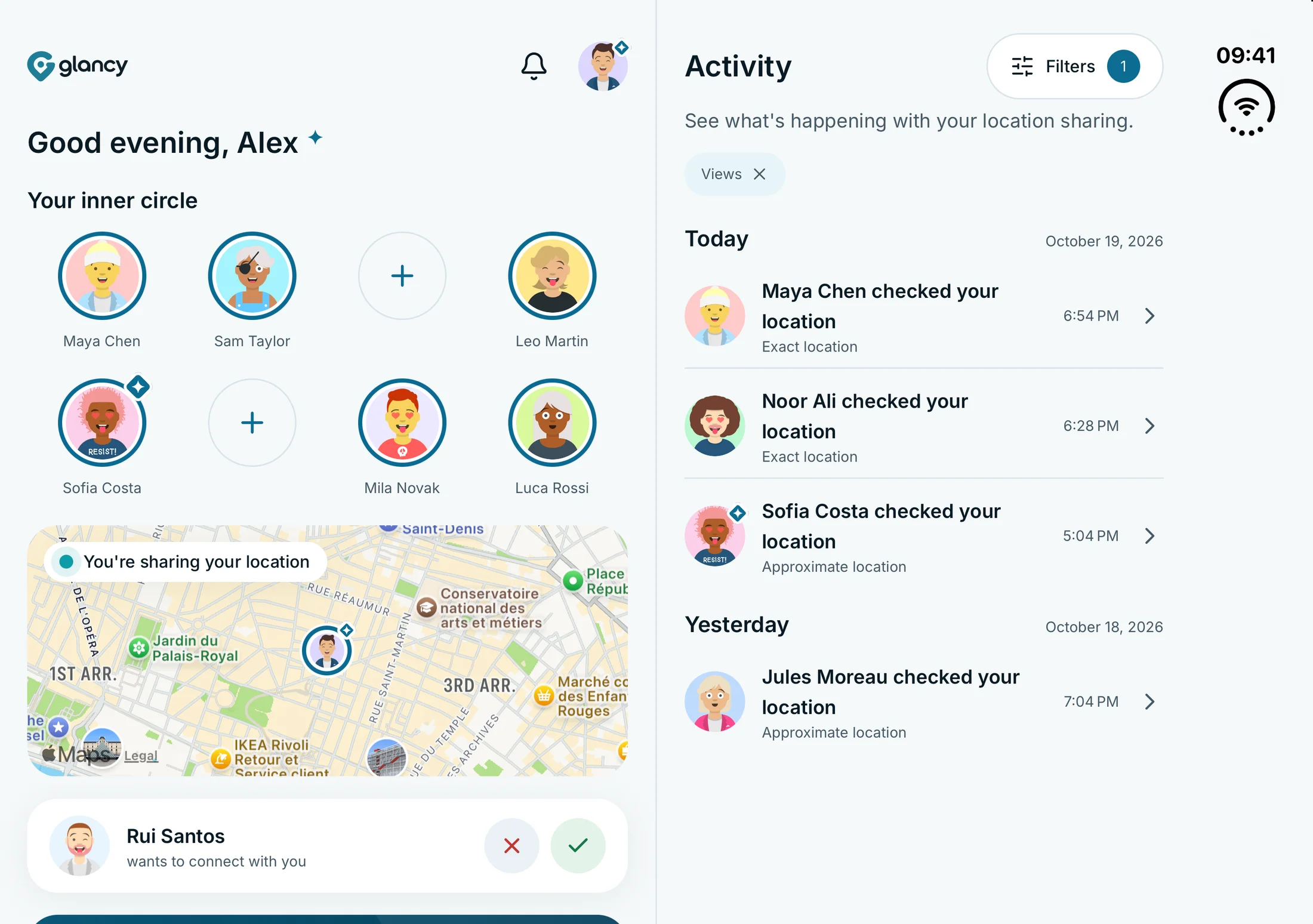
Keep an eye on what happens.
On Home, your favourites and your own location sit beside your activity. See who checked your location and filter the access log while your overview stays in view.
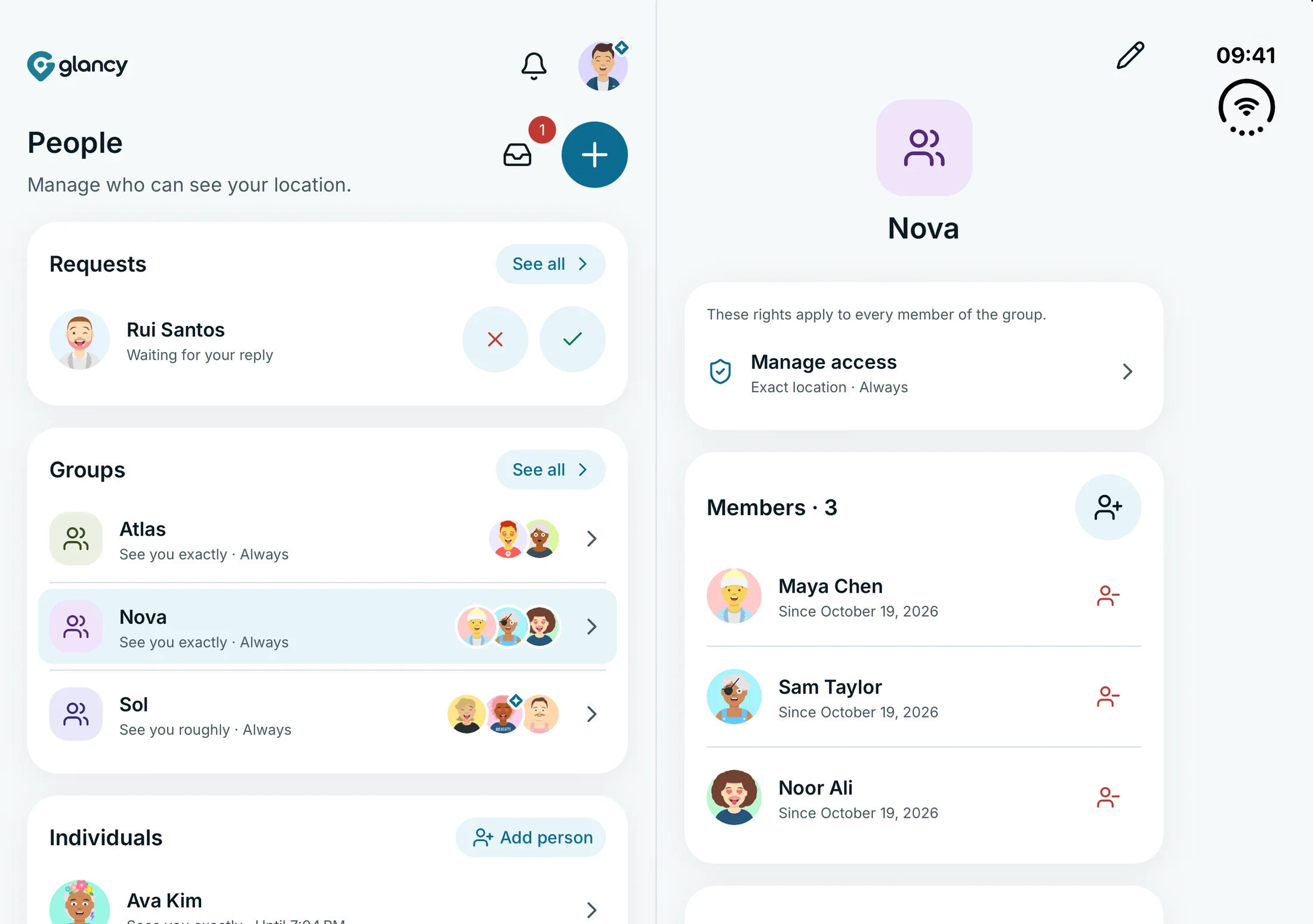
The group on the left. Its rules on the right.
Choose a group in the people overview. Its members and shared access rules appear alongside it. Keep the context as you manage who can see your location.
Real app views · captured in the iPhone Duo simulator
A different display. The same flow.
Open. Close. Keep going.
glancy adapts to the available width as you fold. Open it and the overview appears beside your detail view. Close it and the view you opened stays in place. Switching layouts keeps your navigation intact.
- Folded
- A compact view for life on the move.
- Unfolded
- Two columns for overview and detail.
- Switching
- Your current navigation stays in place.
More room for your people. Just as much control as ever.
More display. Your rules.
On iPhone Duo, you still decide who can see your location, how precisely and for how long. Access notifications, the access log and pausing are still part of glancy. More space for the app keeps you just as much in control.
How glancy protects your privacyGood to know.
Does glancy support iPhone Duo?
Yes. glancy already supports iPhone Duo with an adaptive interface. On the unfolded inner display, the overview sits beside the detail view, such as your location list and a map, or your people overview and a group. Folded, it uses the compact layout.
What changes when I fold or unfold?
glancy adapts its layout to the available width. Unfold it and the overview appears beside the detail view. Fold it closed and the view you opened stays in place. Switching layouts keeps your navigation intact.
Do I need a separate glancy app for iPhone Duo?
No. The Duo layout is part of the glancy iOS app. You do not need a separate app. The interface automatically adapts to the available display width.
Do the images show the real app?
Yes. The screenshots show glancy running in the unfolded iPhone Duo simulator with sample data. They show the real two-column app interface, rather than recreated concept screens.
glancy × iPhone Duo
Your next iPhone. Your location app is ready.
glancy already supports iPhone Duo. Get the app and share your location on your terms.
Get glancy All download options